
23. How can I edit document labels or hide / show quantity, UOM or unit price?
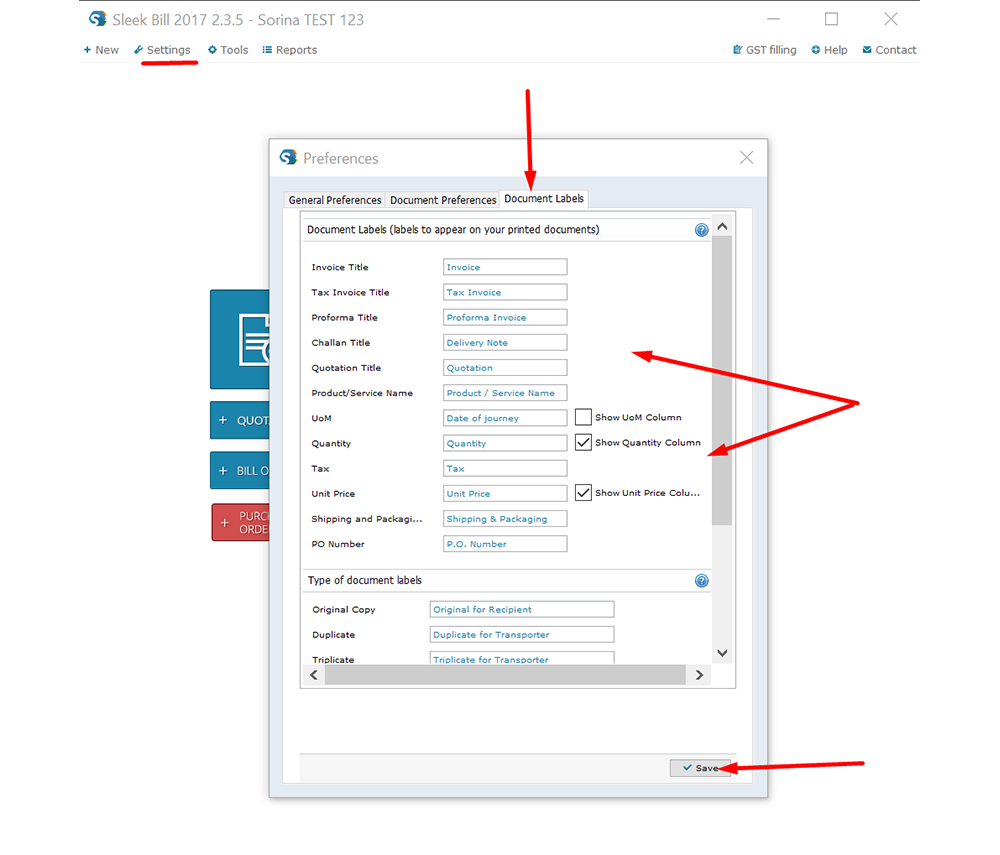
In Sleek Bill go to Settings - Preferences. You will see a new panel open up. If you look at the top of it, you will see 3 tabs: General Preferences, Document Preferences and Document Labels. Click on “Document Labels” and you will be able to change several document labels such as Invoice Title, Proforma Title, UoM title plus others and also hide UoM, Quantity and Unit Price columns.
< Back to Questions
 I was looking for a simple and effective invoice/billing software. I tried quite a few options before reaching Sleek Bill (India). I really like the easy to understand interface and all the reporting and customization features it offers. Sleek Bill for India is a great choice for me and I truly recommend it.
